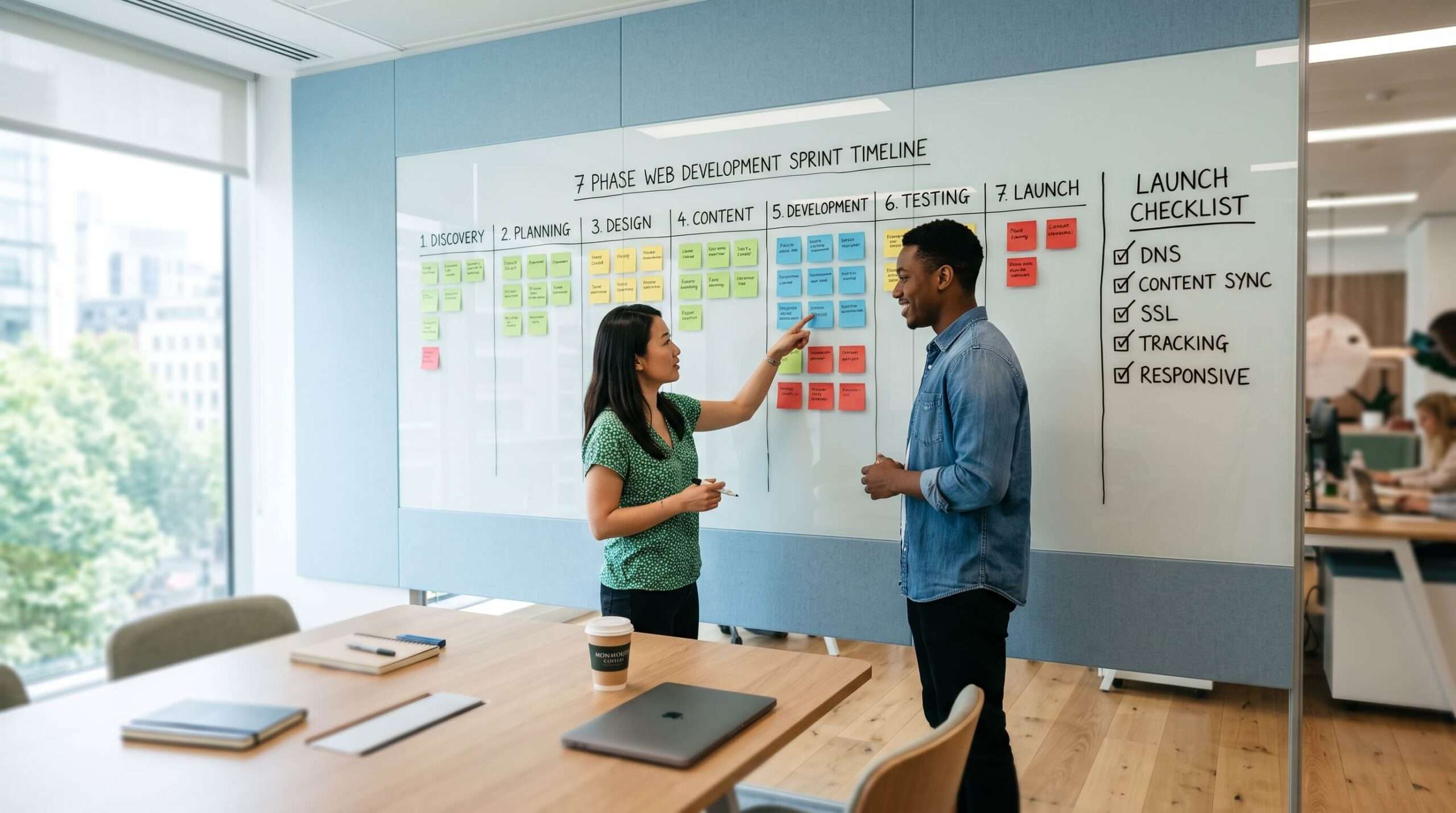
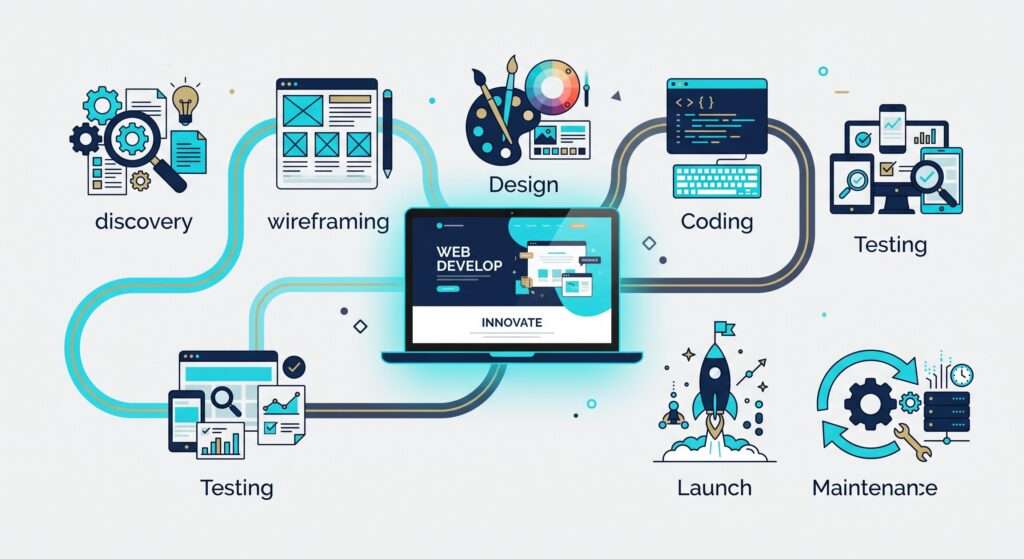

A successful website is rarely the result of improvisation. The best projects follow a clear, structured process that reduces risk, controls costs and delivers a site that actually works for the business.
This guide explains the seven phases that professional teams use in 2026. You will see what happens in each stage, why it matters, the typical red flags to watch for, and a practical checklist you can use whether you are managing the project yourself or working with an agency.
If you have already read our main website development process guide, this article goes deeper into the day-to-day reality of each phase.
Let’s Discuss Your Needs
Why a Structured Process Matters
Without a defined process, projects drift. Deadlines slip, budgets grow, and the finished site often fails to meet the original goals. A clear seven-phase approach keeps everyone aligned, makes progress measurable, and produces better results.
The phases below are the ones we use at Be My Social and that most experienced UK agencies follow in some form.
Phase 1: Discovery and Strategy
What happens
Goals, target audience, competitors, success metrics and technical requirements are clarified. A detailed project brief is produced.
Why it matters
This stage prevents expensive changes later. Almost every problem that appears mid-project can be traced back to incomplete discovery.
Red flags
- The agency jumps straight into design without asking detailed questions
- No written brief or success criteria are agreed
- Business goals are vague (“we just need a nice website”)
Checklist items
- Business objectives clearly defined
- Target audience described
- Competitor examples reviewed
- Success metrics agreed (enquiries, sales, rankings, etc.)
- Technical requirements and constraints noted
Phase 2: Planning and Information Architecture
What happens
A sitemap is created, user journeys are mapped, and the content hierarchy is planned. Wireframes may begin at this stage.
Why it matters
Good structure makes the site easy to use and easy for search engines to understand. Poor structure is difficult and costly to fix later.
Red flags
- No sitemap is shared for approval
- Pages are added or removed without discussion
- Navigation feels confusing even in the planning stage
Checklist items
- Full sitemap approved
- Key user journeys mapped
- Content requirements listed for each page
- Internal linking approach considered
Phase 3: Design and Prototyping
What happens
Wireframes are turned into visual designs. Responsive layouts, typography, colours and key interactions are refined. Clients review and approve designs before development starts.
Why it matters
Design decisions are far cheaper to change at this stage than after coding has begun.
Red flags
- Designs are presented with no mobile versions
- Feedback rounds are unlimited or completely undefined
- Accessibility and usability are ignored
Checklist items
- Desktop and mobile designs approved
- Brand guidelines followed
- Key page templates signed off
- Accessibility considerations checked
For more on how design and development work together, see our web design services.
Phase 4: Development (Front-End and Back-End)
What happens
Approved designs are built into a working website. Front-end (what users see) and back-end (server, database, functionality) work takes place. A content management system is usually configured.
Why it matters
Clean, well-structured code affects speed, security, SEO and how easy the site is to maintain.
Red flags
- No staging site is provided for review
- Code quality or performance is never discussed
- The CMS is overly complicated for the people who will use it
Checklist items
- Staging environment available
- Core pages built and reviewed
- Forms and key functionality tested
- CMS training needs identified
Phase 5: Content and CMS Setup
What happens
Final copy, images and media are added. On-page SEO elements (titles, headings, meta descriptions, schema) are implemented. The CMS is prepared for easy future updates.
Why it matters
Even the best-designed site underperforms if the content is weak or incomplete. Search engines and visitors both judge the quality of the information.
Red flags
- Content is treated as an afterthought
- No SEO foundations are added during build
- The CMS is left in a state that only developers can use
Checklist items
- All pages populated with final content
- Images optimised and correctly sized
- Basic on-page SEO completed
- CMS user roles and permissions set
Phase 6: Testing and Quality Assurance
What happens
The site is tested across devices and browsers. Speed, accessibility, forms, links, security and Core Web Vitals are checked. Bugs are fixed before launch.
Why it matters
Launching without thorough testing almost always leads to problems that damage trust and rankings.
Red flags
- Testing is rushed or skipped
- Only desktop is checked
- No performance or accessibility testing takes place
Checklist items
- Cross-browser and device testing completed
- Forms and interactive elements working
- Page speed and Core Web Vitals reviewed
- Accessibility basics checked
- 404s and broken links fixed
Phase 7: Launch and Ongoing Maintenance
What happens
The site goes live with proper redirects, analytics and monitoring. Hosting, security updates, backups and performance reviews continue after launch.
Why it matters
A website is not finished on launch day. Ongoing care keeps it secure, fast and effective.
Red flags
- No plan for hosting or updates
- Analytics are not installed
- The agency disappears after launch
Checklist items
- DNS and hosting configured correctly
- Analytics and Search Console set up
- Redirects in place if replacing an old site
- Maintenance or support arrangement agreed
Reliable hosting plans make this phase much smoother for most businesses.
Practical Project Checklist (Summary)
You can use this condensed checklist to track progress:
- Discovery completed and brief signed off
- Sitemap and structure approved
- Designs (desktop + mobile) approved
- Development on staging site reviewed
- Content and basic SEO added
- Full testing completed
- Launch checklist finished
- Post-launch support arranged
Print or copy this list and tick items off as you go. It keeps everyone accountable.
Common Process Mistakes to Avoid
- Starting visual design before strategy is clear
- Allowing unlimited design revisions without boundaries
- Adding major new features mid-development
- Launching without proper testing
- Treating the website as finished once it is live
Avoiding these five points alone improves most projects significantly.
How Be My Social Runs the Process
We follow the seven phases above on every website project. Clients receive clear milestones, regular updates and a staging site so there are no surprises. The same structured approach underpins the cost ranges we outline in our website development cost guide.
If you would like to discuss a new project or review an existing site, get in touch for a free consultation. We are happy to talk through the process and what it would look like for your business.
This process guide reflects the practical methodology used by the Be My Social team when delivering website design and development projects for UK clients. We refine the phases regularly to match current best practice, performance standards and search engine requirements.

Thank you to Pieter, Shannon and Corey!!

Everything was handled professionally, with a genuine understanding of our business and what we were trying to achieve. We’ve valued the flexibility and positive attitude throughout, which made working together easy and enjoyable.
We wouldn’t hesitate to recommend their services and would happily work together again in the future should our needs change. Many thanks Barry and Hayley



A no-fuss attitude and a speedy turnaround!
I’ve found the to be the very best company for us after trying several others over the years.
I’m glad to have them, because the cost of hiring someone directly to do the same work would be impossible.
Highly recommended.

Ruth and Emily are amazing, they are always on hand to answer any questions and explain everything thoroughly.

Our contact Ruth always makes herself available for telephone/zoom meetings, constantly checks up on how sales are progressing and advises on changes to marketing strategies to try and ensure increased traffic to the website. I cannot recommend them highly enough 🙂

Discover More Insights: Explore Our Blog for Expert Tips and Strategies!

Should You Hire a Web Developer, Use AI, or Build It Yourself in 2026?
One of the biggest decisions facing any business owner is how to get a website built. In 2026 the main options are: Build it yourself with a website builder Build

Website Development Cost UK 2026: Realistic Prices & Timelines
One of the first questions every business asks is: “How much does a website actually cost in the UK?” The honest answer is that it depends but not in a

Website Development Process 2026: Complete Guide (Steps, Costs, Types & Tools)
A well-built website remains one of the most important assets a business can own. In 2026 it is no longer enough simply to “have a site”. Visitors expect speed, mobile

What Does SEO Mean in Business Terms? (2026 Guide)
In business terms, SEO means building a reliable system that brings qualified customers to your website without paying for every click. It turns search engines into a long-term source of

How to Promote a Website: 9 Proven Strategies That Actually Work in 2026
Promoting a website in 2026 means getting the right people to find it, visit it and take action whether that is an enquiry, sale or booking. The most effective approaches

How to Increase Organic Search Traffic: A Step-by-Step Guide for 2026
Organic search traffic is the unpaid visits that come to your website from Google and other search engines. Increasing it means more high-intent visitors finding you when they search for